Imagine your company has received 1500 invoices that were scanned as images. Each of those invoices is an image that does not allow users to search or edit the invoice. Each invoice will need someone from your company to look at the image and enter each piece of information from that image into a system manually. If an employee accidentally enters an invoice number incorrectly, that could cost your company money.
Now, think about the power of a tool that will read all these invoices in just a few minutes, extracting dates, dollar amounts and vendor names accurately while eliminating manual effort. This is what Optical Character Recognition (OCR), or text in image technology provides: it allows computers to read printed or handwritten text found in an image file and produce digital data that is searchable, modifiable and stored instantly.
The level of adoption of OCR technology illustrates how effective this technology has become in businesses today. The size of the global OCR market is expected to grow significantly from an estimated value of USD 15.11 billion in 2024 to USD 44.99 billion by 2035 (10.43% compound annual growth rate [CAGR]). In India, the national identity card program called Aadhaar enrolls more than 1.38 billion citizens into the program (UIDAI complete by 2025). pattern recognition software is critical to the success of the Aadhaar program’s ability to provide verification for that number of citizens.
As such, pattern recognition technology is not just for a small number of companies to use on an occasional basis; pattern recognition software has become an essential part of a majority of companies’ modern digital processes.
What is OCR (Text-in-Image Technology)?

OCR, which is an acronym for Optical Character Recognition, refers to an iterative process wherein a physical medium (images, scanned documents, or photographic images) containing written text is transformed into digital file format, enabling the computer to Read, Edit, Search and Use it.
Your brain quickly reads text when you see something like a restaurant menu in its entirety that you might happen to see in photo form. Machines need to function in a similar manner; without the ability of pattern recognition software to convert images into machine-format text, the computer sees nothing, but pixels (no text), the scanned document is just a picture/audio file.
Once digitized as a machine readable text-recognizable electronic file, you can search all of the information contained in the document including the Invoice Number, Date, and Amount from the photo file, i.e. the document has become a living, searchable, usable source of data able to be used for your accounting software.
Key Capabilities of OCR
1. Identifying Printed and Handwritten Text
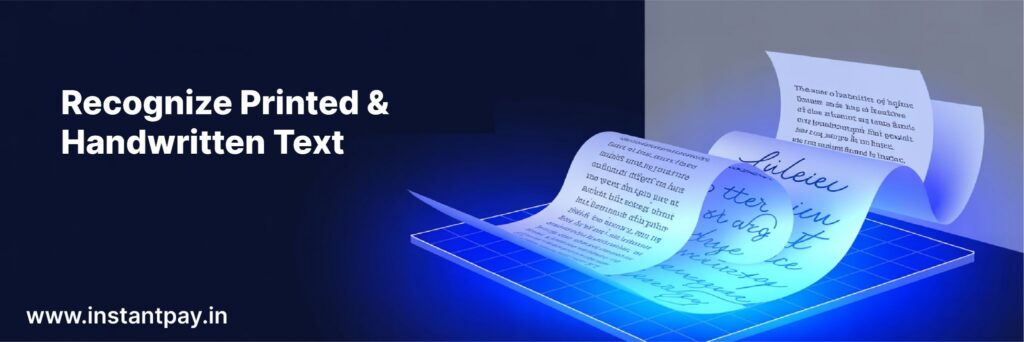
Machine learning text recognition is capable of recognising both printed and handwritten documents. So whether it’s a digital file of a bank statement that was printed out, or an application form that someone filled out by hand, OCR will be able to accurately and automatically recognise the text in both types of documents.
2. Language Support
OCR is not just for English! The most modern systems today support many different languages such as Hindi, Tamil, Arabic, Mandarin, etc. There’s a huge benefit to using machine learning text recognition if you operate in a multilingual country like India to be able to produce information for your customers in their preferred language.
3. Image Format Support
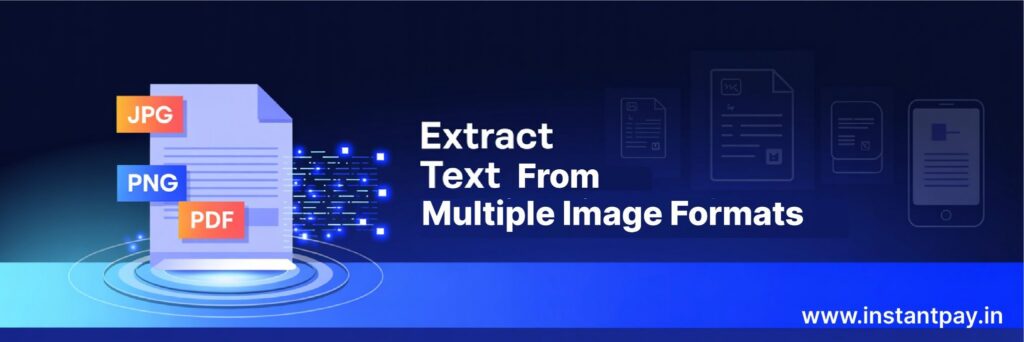
It does not matter if you are trying to do OCR on a JPG photo, a PNG file, a TIFF file, or an image-based PDF; machine learning text recognition will process any image format you provide and extract the text cleanly from each document regardless of what format it comes in.
4. Adapting to Different Fonts, Font Sizes, and Formats
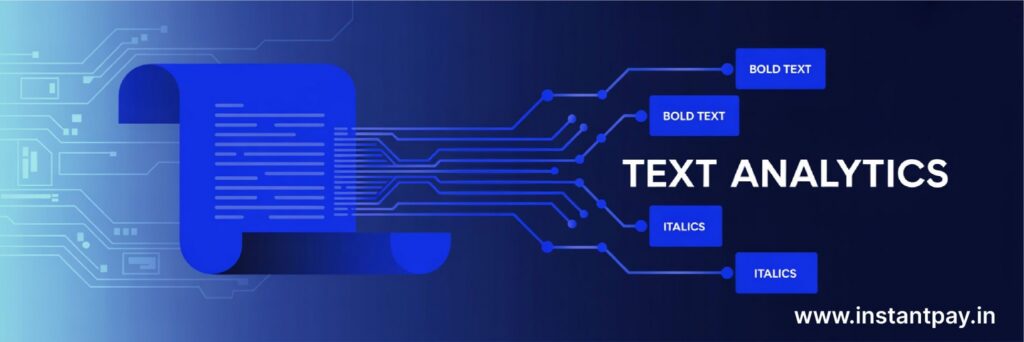
OCR has been developed to be able to recognize the numerous font types and sizes. Many OCR systems can also preserve the format of the original document. So if there are bold words in a document, line spacing, etc., those same formatting elements will be retained in the output as well!
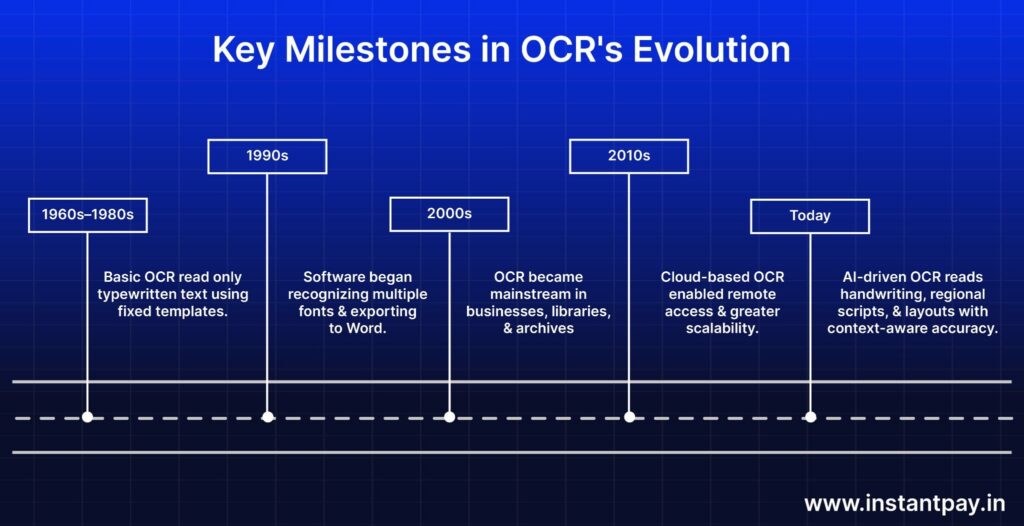
Major Milestones in the OCR Process
From its earliest days, in which the only format that could be scanned was a fixed, typewriter-based (meaning it was printed only once) format through the last few decades and into 4 separate innovative phases such as desktop software processing, cloud processing, machine learning, and finally an intuitive solution. document automation tools has developed tremendously over the years.
How OCR Works: A Technical Overview
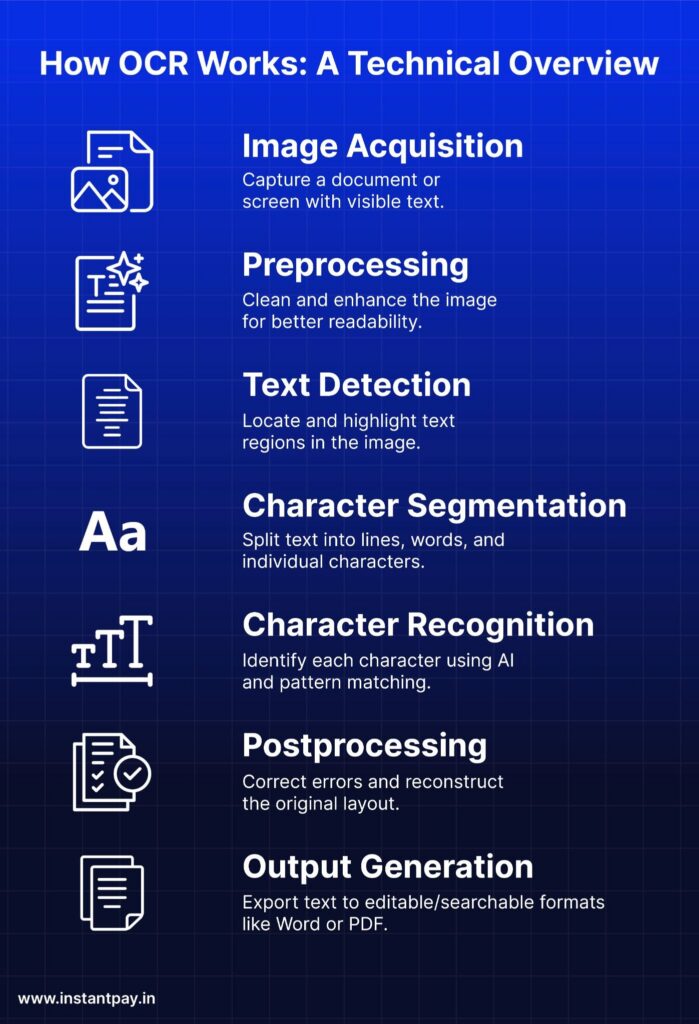
Although it may appear as if OCR has used wizardry to produce an end product, there is in fact a well-defined and logical process in place for capturing document data. This includes the following steps that occur at the instant you scan a document:
1. Image Capture
An image (e.g. a scanned document, a photo taken on your phone, a screenshot) is the starting point for the text in image process: the clearer the image, the better the result.
2. Preprocessing
Using the source image as input, text in image software processes the image in order to eliminate any noise within the file, adjust the contrast, straighten any skew in the text, and remove potential obstructions that may hinder the recognition of characters.
3. Text Detection
After pre-processing the image, document automation tools identifies where the text exists in the image, separating it from graphics, logos and white space.
4. Character Segmentation
Once the text is detected, character segmentation occurs to create individual lines, words and characters from the detected text in order to be able to accurately analyze the text.
5. Character Recognition
Once segregation has taken place, AI and pattern-matching activities will be performed to identify the character to which each segment of text relates, based on the font, language and context of the text.
6. Post-processing
After the text in image has identified the characters associated with each separate segment of text, it will apply corrections (e.g. spelling, formatting, table columns) to improve the resulting output.
7. Output Generation
Once the OCR application has produced the results of all of the above activities, the output will be produced in an editable MS Word format, a searchable PDF format, or formatted data, all of which are ready for use.
Types of OCR You Should Know (And When to Use Them)
There are various types of manual input recognition depending on your type of document; they all have different modes of operation as shown below:
| 1. Simple OCR (Optical Character Recognition) The most basic type, this type of input recognition, will read printed/hard copy versions of a document that contains typed text such as reports, books, & contracts. |

| 2. ICR (Intelligent Character Recognition) This type of input recognition can process handwriting and learn different writing styles throughout time (e.g. reading hand written loan applications in a bank). |
| 3. OMR (Optical Mark Recognition) This type of input recognition uses marks, x’s, or bubbles to identify the presence of what is written (i.e. instantly processing thousands of exam answer sheets). |
| 4. Barcode and QR Code OCR Bar code & QR code optical character recognition decodes the labels or codes on the packaging/tickets or carton for tracking real-time to locate them (i.e. tracking packages in logistics) |

| 5. HOCR (High-Order OCR) Read complex documents while maintaining their table, column, & heading format (e.g. digitising legal contracts without losing their format). |
| 6. Zonal OCR Address specific locations on a document that has a fixed layout (i.e. pulling out just a person’s name & date of birth from a Aadhaar card). |
Bonus: Hybrid Text-in-Image (OCR) Systems
Combine the use of several methods to read the various mixed together formats of documents with printed text, hand written text, & checkbox fields.
Applications of OCR Across Industries
Document automation tools are a valuable tool in many heavily regulated sectors of the economy. The significant areas of impact for these industries include:
Banking & Financial Services
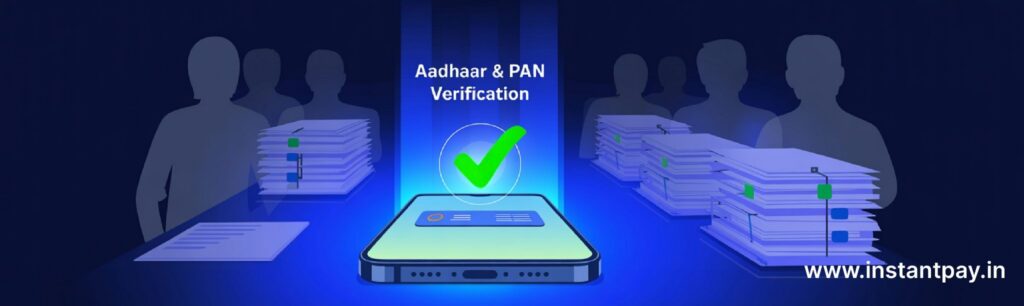
Document automation tools have allowed banks to streamline the onboarding process for new customers, both by speeding up the collection and processing of Know Your Customer (KYC) documentation (such as Aadhaar identity cards or Permanent Account Number (PAN) cards) as well as by using it to automate the extraction of information from checks and loan applications.
Healthcare

Healthcare operates on large quantities of paper documentation, including prescriptions, lab reports, and other patient-related records. The use of document automation tools technology to digitize these records reduces the amount of manual error that occurs and allows physicians to quickly obtain reliable patient information.
Government & Public Sector
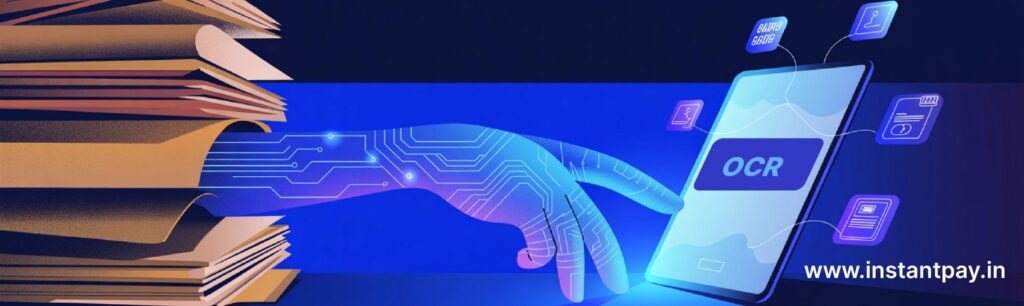
Using document automation tools technology, the Government of India was able to digitize crores (hundreds of millions) of paper land records into online searchable databases that allow users to find this information without having to go to a government office.
Logistics & Supply Chain

Logistics companies rely heavily on the use of barcodes, Air Waybill (AWB) numbers, and handwritten delivery receipts as part of their day-to-day operations. With the use of data capture technology, logistics providers are able to automatically scan these forms of documentation and keep shipments moving without delay due to data entry.
Education & Research

Data capture is being used in educational institutions to address the ongoing challenge of digitizing all handwritten examination papers. Educational institutions are also digitizing reference material that would otherwise be stored on physical paper and creating a searchable electronic library of resources available to stakeholders.
Retail & E-Commerce

Data capture technology is allowing retailers to scan retail sales receipts, warranties, and return forms using an electronic device to automatically enter data from these documents into their internal systems, thus providing customers with faster access to services and to help with customer insights.
Accessibility & Assistive Technologies
Data capture allows individuals who are visually impaired to convert printed text into spoken words (text-to-speech) by reading printed menus in restaurants.
The Impact of OCR: Practical Benefits You Can’t Ignore
1. Saves Time and Reduces Manual Work
Thousands of documents to process without manual entry and eliminates bottlenecks to complete in 5 minutes than several days of effort by a team.
2. Improves Accuracy and Data Integrity

AI extraction provides more consistent results than humans manually entering data, reduces errors, increases good records and improves decision making.
3. Enhances Document Searchability

Scanned documents that have been processed through data capture to become digital can be searched in seconds for Name, Zip Code and/or a clause found in the document.
4. Boosts Productivity and Scalability

When an increase in documents is encountered, intelligent document processing (IDP) will automatically increase processing power without adding labour costs or increasing the length of time it takes to process.
Where Text-in-Image Falls Short: Common Pitfalls and Issues
1. Accuracy with Handwritten or Poor-Quality Text
Low resolution images; poor lighting; missing images reduce the ability of intelligent document processing (IDP) to function correctly. “Rubbish in, rubbish out.”
2. Language and Script Limitations
There are not many intelligent document processing (IDP) engines capable of handling languages/scripts (Tamil; Marathi; Urdu) without specific training for the engine on that language/script.
3. Complex Layouts and Mixed Content
Columns/graphics can cause confusion for OCR when trying to process documents as they produce jumbled output or no response to the intelligent document processing (IDP) software.
4. Privacy and Data Security Concerns
When digitising sensitive documents such as identification (passports, driver’s licences, etc.), medical records, and/or financial information, your system must provide the highest levels of encryption and security controls to protect client data from unauthorised access.
Future Applications and Trends in OCR Technology
The future of OCR with AI is enormous! We are witnessing the biggest changes we’ve ever seen in this technology.
1. AI-Enhanced OCR for Greater Insight
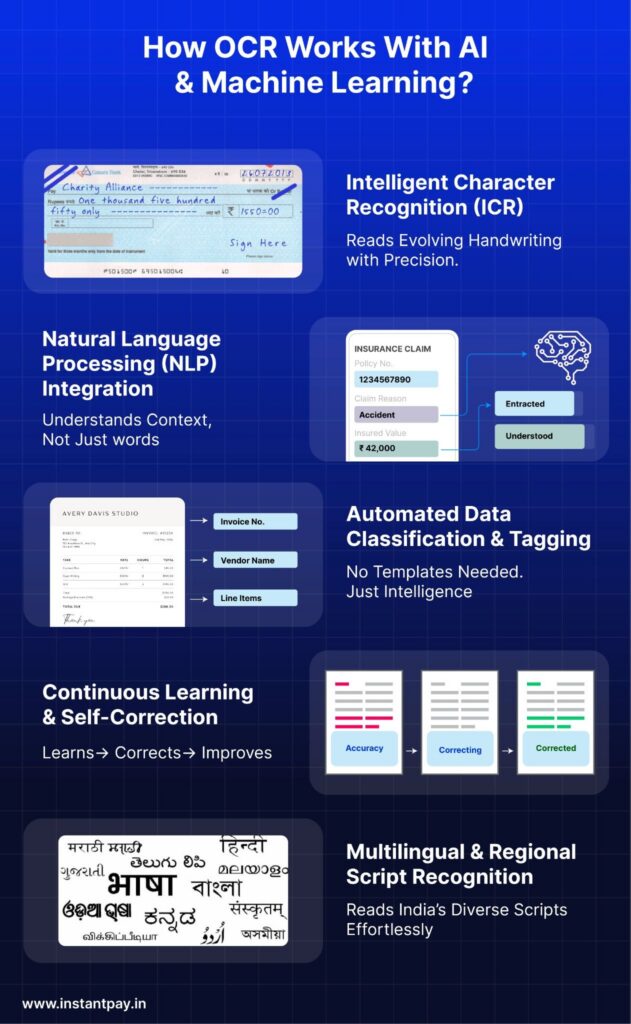
In the future, intelligent document processing (IDP) will no longer just extract text; it will also be able to interpret it and ascertain its context, meaning that an AI will be able to take a scanned prescription and automatically analyze it for any dangerous combinations without any human intervention.
2. Mobile-First and Offline OCR
On-device processing of image processing technology documents is growing; therefore, documents can now be scanned and processed directly from your smartphone, without needing an internet connection. This is critical for remote areas and for people who live in places without easy access to networks.
3. Multilingual and Regional Expansion
AI models are being created using more regional-based scripts, such as Assamese, Kannada or Urdu. This will allow for greater use of image processing technology in India, where there are many dialects.
4. Privacy and Compliance with Regulation
Privacy and Compliance with Regulations: As the new Data Privacy and Protection Act in India comes into effect along with the Readiness Regulation, the image processing market is moving towards edge-based processing and keeping sensitive user data on-device, rather than uploading to a central server.
5. Real-Time Document Intelligence
Document scanning and recognition is becoming the first real-time verification engine for documents, allowing for the detection of document anomalies as well as the verification of IDs and reporting of poor-quality documents as soon as they are received into the workflow.
Final Thoughts
Over the years, OCR has steadily risen to prominence as one of the most important technologies in our digital world. Document scanning and recognition is what enables an array of activities from digitising handwritten documents to enabling real-time identity verification and is the ‘invisible engine’ that is powering faster, smarter, and all-digital workflows in almost every industry.
Originally a rigid tool with template-based outputs, document scanning and recognition has transformed over time via Artificial Intelligence (AI) to an intelligent substance of knowledge with context-awareness, adaptable complexity and the ability to process large volumes of documents.
With the combined and ongoing advancements in AI, Mobile Technology and Privacy-first Design, document scanning and recognition will continue evolving to become ever-smarter, inclusive and powerful – hence being a future-proof technology.

FAQs
1. How does OCR extract text from an image?
OCR scans the image of the paper, identifying the characters in the image and converting them into digital text that can be read, edited, searched and stored by a computer.
2. What does OCR text mean?
OCR text is the digital text generated by using OCR software to scan an image of the paper and convert it into digital text. Thus, it is similar to any text that is generated by typing.
3. How is OCR text extraction different from basic text extraction?
Basic text extraction only works with digital documents. OCR, however, does both. OCR will read and interpret the text located in the image of the paper by using a line of sight to locate the characters in the image.
4. Can OCR. do more than just read the text in an image?
Yes, modern OCR systems have several features: detecting tables, extracting certain fields of data, retaining formatting of the original paper, and creating automated work flows when combined with A.I.
5. Can I modify text in an image using OCR.?
Yes, once you have scanned the image of the paper and extracted the text, you can then modify the text in a word processing program (some more advanced methods allow you to change the original layout as well).
6. Which file types are supported by OCR.?
The majority of the OCR tools support the following types of image files: .jpg (Joint Photographic Experts Group), .png (Portable Network Graphics), .tiff (Tagged Image File Format), and .pdf (Portable Document Format). All of those formats are frequently scanned formats.
7. Is O.C.R. a form of A.I.?
Old-style OCR relies on predetermined computer instructions (basically the use of rules), while newer OCR systems (which include the use of machine learning) have a large degree of A.I.