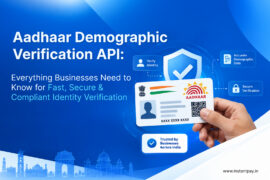
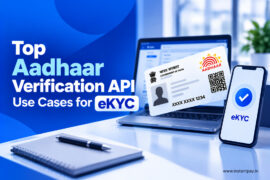
Aadhaar verification is now vital. It is part of many administrative and financial processes in India. Over a billion people are enrolled. The Aadhaar system is the world’s largest biometric ID system. Understanding Aadhaar verification is key.
It’s crucial for navigating India’s complex identity authentication. This guide covers the key aspects of Aadhaar verification. It includes its benefits and the verification process.
Understanding Aadhaar
Overview
Aadhaar is a 12-digit unique identification number. The Unique Identification Authority of India (UIDAI) issues the number. Aadhaar launched in 2009. It aims to provide a single, strong, and easy-to-check identity document. It is for India’s residents.
History
The government started the Aadhaar project to establish a universal identity infrastructure. Both the government and private sector could use it. The first Aadhaar number was issued in 2010. It has expanded to cover a large portion of the Indian population.
Importance
Aadhaar is a foundational ID. It links services and systems to a single, verifiable identity. It is key to ensuring that subsidies, benefits, and services reach the right people. They make direct contact with them in a streamlined manner.
What is Aadhaar Verification?
Also called Aadhaar Authentication. It is validating a person’s identity using their Aadhaar number. It involves cross-checking the given information with the UIDAI’s database. This is to confirm the identity’s authenticity.
Many companies and organizations need people to show ID. They need it to get services, subsidies, or benefits. However, checking if these identity documents are correct can be hard.
Aadhaar Authentication helps. It provides an easy way to check someone’s identity online. And, it’s instant and works from anywhere. India’s Unique Identification Authority, a government agency, offers this service. It confirms customer identities with swift authentication. They can also check the identity of their employees or anyone else. They use Aadhaar, which helps ensure the right people get the services, subsidies, or benefits they need. It also helps them get the access they need.
Learn More:
- Identity Verification – How to Check PAN Aadhaar Linking Status with API
- Explore The Power of Identity Verification with Instantpay’s RC Verification in 2024
What is the unique identification authority of India (UIDAI)?

The Unique Identification Authority of India (UIDAI) is a government agency. It handles implementing the Aadhaar scheme. The scheme aims to give a unique ID number to every resident of India. This number is called Aadhaar. It is a 12-digit unique identifier. The system links to the person’s biometric and demographic data.
Which Indian ministry oversees the Unique Identification Authority of India (UIDAI) and its operations related to Aadhaar?
The Indian government created the Unique Identification Authority of India (UIDAI). It was created on July 12, 2016. It was set up under a law called the Aadhaar Act 2016. UIDAI is part of the Ministry of Electronics and Information Technology. It gives everyone in India a unique identification number called Aadhaar.
Who has been appointed CEO of the Unique Identification Authority of India (UIDAI)?
Amit Agrawal is the CEO of the Unique Identification Authority of India (UIDAI). He has worked in important government jobs in India. He focused on technology, finance, and education. He was also an Additional Secretary. He worked in the Ministry of Electronics and Information Technology.
He also served in the Ministry of Finance. He has led tax and education departments in Chhattisgarh. He has also had other roles in state and local governments. Amit studied at the Indian Institute of Technology Kanpur. He has been on the boards of many technology, banking, and insurance companies.
Purpose – The main objective of Aadhaar verification is to check if the person is who they claims to be.
- Aadhaar is a special 12-digit number given to every Indian resident as proof of identity.
- Helps make sure the right people get government benefits and reduces cheating.
- Aadhaar makes it easier to open bank accounts. It also helps people get financial services, especially in rural areas.
- Linking PAN with Aadhaar makes it easier to file taxes and is necessary for paying income tax.
- Aadhaar allows digital authentication. This is for services like getting mobile connections and using online banking.
- Helps provide accurate population data to create better government policies.
Usage – Aadhaar verification is used in many sectors. These include banking, telecom, and government. It makes processes faster and more secure.
Why is Aadhaar Verification Important?
 | Security |
 | Efficiency |
 | Trust |
How Aadhaar Verification Works?
 | Biometric Authentication |
 | Demographic Authentication |
 | OTP Authentication |
Authentication Services

UIDAI offers online, real-time authentication. It does so through two data centers: Hebbal Data Centre (HDC) and Manesar Data Centre (MDC). The centers work together. They ensure that services like authentication and e-KYC are always available.
CIDR can handle millions of logins every day. It can increase capacity as needed. Many providers use Aadhaar in their systems. It helps them deliver faster, better services across India.
Let us have a clear look as below:-
What Aadhaar Authentication Will Do | What Aadhaar Authentication Will Not Do |
|---|---|
| ? Authentication against resident’s data in UIDAI’s CIDR | ? Authentication against resident’s data on smart card |
| ? Return response to requesting agencies as Yes/No | ? Return personal identity information on residents |
| ? Initiate request over mobile network, landline network and broadband network | ? Remain restricted to broadband network |
| ? Require aadhaar for every authentication request reducing transactions to a 1:1 match | ? Search for aadhaar based on details provided requiring 1: N match |
Step-by-Step Process of Aadhaar Verification
 | Online Verification: – Visit the official UIDAI website. |
 | Offline Verification: |
 | e-KYC: |
Documents Required for Aadhaar Card Verification
Identification Proofs – You can use documents such as a passport, PAN card, voter ID, or driving license as IDs.
Address Proofs – You can use documents as proof of address. These include a utility bill, bank statement, or rental agreement. These documents must be current and valid.
Learn more:
- All about Central Know Your Customers (CKYC) with Instantpay
- Identity Verification – How to Check PAN Aadhaar Linking Status with API
- A Definitive Guide to Accelerate Identity Verification without Compromising Security
Why is Aadhaar card verification important?
Your Aadhaar card is very important. It helps prove who you are, get government benefits, open bank accounts, get SIM cards and more. Check your Aadhaar card. This keeps your info correct and safe from misuse or theft.
Aadhaar Information

1. Demographic information
- Name
- Date of birth/age
- Address
- EID- the enrolment number
- Barcode
2. Biometric information
- Photograph
- Iris scan (both eyes)
- Fingerprints (all ten)
 | Aadhaar Card for Adults (above 18 years) |
 | Aadhaar Card for Minors |
 | Aadhaar for NRIs |
How to Update Aadhaar Card Details Online?
You can update your name, date of birth, address, and gender details online. However, your mobile number must be linked to the Aadhaar to make the changes.
How to update the name, address, gender, and date of birth details online?
Step 1 – Visit the official website of UIDAI
Step 2 – Click on the ‘Update Demographic Data and Check Status’. Log in to the portal using your Aadhaar and the OTP sent to your mobile number.
Step 3 – Enter the Aadhaar number and the captcha.
Step 4 – Click on ‘Send OTP’ and Enter the OTP that is sent to your registered mobile number.
Step 5 – Next, select ‘Update Demographics Data’.
Step 6 – Select the relevant options on the next page and click on ‘Proceed’.
Step 7 – The changes can be made on the next page. Upload the relevant document.
Step 8 – Next, you must review the details that have been entered.
Step 9 – Next, submit the change request. You can use the Update Request Number (URN) to track the status of the address change.
What can you change in an Aadhaar card online?
You can update your address, name, gender, and birthdate. You can also update your email ID and home address. Also, you can update your marital status, fingerprints, and IRIS date. But, to make the adjustments online, you must link your Aadhaar to your cell phone number.
How can you update the address in Aadhaar without document proof?
Use the ‘Request for Aadhaar Validation Letter’. The process involves:-
Step 1 – Resident Initiates Request
- As a resident, you must log in by providing your Aadhaar details.
- The Verifier Aadhaar details must be entered.
- An SRN will be sent.
Step 2 – Address Verifier Consents
- Click on the link that is sent to the registered mobile number.
- Log in with the Aadhaar details.
- Provide consent.
Step 3 – Address Verifier Consents
- A Verifier Consent is sent to the registered mobile number.
- Login by providing the SRN.
- Preview the address details.
- Change the language if needed.
- Submit the request.
Step 4 – User Secret Code to Complete
- A post will be sent with a letter and the Secret Code.
- Login to the address update portal.
- Change the address with the help of the Secret Code.
- Check the address and submit.
- A URN will be provided to check the status of the request.
How to Update Your Aadhaar Card Details at the Aadhaar Enrolment Centre?
- Get the correction form from the nearest Aadhaar Enrolment Center and fill it out.
- Attach the required documents and submit the form.
- Pay Rs. 25 to update the address on your Aadhaar Card.
- You will get an acknowledgment slip. Keep this slip for future reference.
How to Update Mobile Number in Aadhaar Card?
- Go to the Aadhaar Seva Kendra.
- Fill out the Update/Correction Form and add your new mobile number.
- Submit the form.
- Provide your biometrics to confirm your information.
- Pay Rs. 50 as the fee.
- You will get an acknowledgment slip with an Update Request Number (URN).
- Use the URN to check the status of your request.
It takes 30 days to update your new mobile number in Aadhaar’s database. No additional documents are needed for this update.
How to Change/Update Name in Aadhaar?
- Visit the Aadhaar Enrolment/Update Center.
- Fill out the Aadhaar Update Form.
- Enter your current mobile number on the form.
- The staff will process your request.
- Receive an acknowledgment slip with your Update Request Number (URN).
- Pay a fee of Rs. 50.
How to update the date of birth (DoB) on an Aadhaar card?
- Go to a nearby Aadhaar Enrolment Center.
- Fill out the Aadhaar Update Form with your birth date.
- Submit the form along with proof of date of birth.
- Provide your biometrics for verification.
- Get a receipt with your Update Request Number (URN).
- Check the update status online using the URN.
- Pay a fee of Rs. 50.
- Your DoB will be updated within 90 days.
What are the documents required for updating aadhaar information?
- Identity Proof: PAN Card, Passport, Driving License, Voter ID, etc.
- Relationship Proof: Passport, PDS Card, MNREGA Job Card, Pension Card, etc.
- Date of Birth Proof: Birth Certificate, School Leaving Certificate, Passport, PAN Card, etc.
- Address Proof: Bank Passbook/Statement, Ration Card, Voter ID, Insurance Policy, etc.
How do you enroll for Aadhaar?
- Go to any authorized Aadhaar Enrolment Center or Permanent Enrolment Centre.
- Find a list of Aadhaar Enrolment Centers on the UIDAI website.
- Over 10,000 post offices and bank branches can also enroll people for Aadhaar. This makes it easier.
What is the procedure to complete the Aadhaar enrolment process?
- Go to the Aadhaar website to find a nearby enrolment center.
- Fill out the form with your details.
- Submit the necessary documents.
- Provide your fingerprints and eye scan.
- Get an acknowledgment slip after enrolment.
- Your Aadhaar card will be mailed to your address.
- Enrolling for Aadhaar is free and not mandatory.
How to enroll for Child/Baal Aadhaar?
- Go to the UIDAI website to find the closest enrolment center.
- Take the child’s birth certificate to the enrollment center.
- Provide the Aadhaar number of one parent for authentication, as Baal Aadhaar will be linked to it.
- Fill out the Baal Aadhaar application form with all details and a mobile number.
- A photo of the child will be taken; no biometrics are needed for children under five.
- Get an acknowledgment slip after completing the steps.
- Baal Aadhaar will be sent to the address. A verification SMS will be sent to the mobile number.
How do you Update Aadhaar?
You can update Aadhaar either at an enrolment center or online. Here are the main reasons to update Aadhaar:
- Change personal details like name, age, date of birth, mobile number, address, or photo.
- Update biometric data like iris scans and fingerprints.
You can update your address online. You must visit an enrolment center for other personal details and biometric updates.
How to Apply for Aadhaar Without Any Documents?
If you don’t have any documents, you can still apply for Aadhaar using these methods:
- Head of Family (HoF) Application: If a family member has a valid Aadhaar, they can provide documents. The documents show their relationship to you. Your Aadhaar will be processed after these details are verified.
- Introducer-based Application: If you have no proof of identity or address, an Introducer appointed by a Registrar can help you enroll. You can find an Introducer at the Aadhaar Enrolment Centre.
For more details, you can check your Aadhaar status online.
How do you check the status of Aadhaar Application Online?
Steps to Check Aadhaar Card Status:
- Go to the official UIDAI website.
- Log in using your username and password.
- Click ‘Check Aadhaar Status’ under the ‘My Aadhaar’ section.
- Enter your enrolment number and the time of enrolment.
- Type in the captcha code and click ‘Check Status‘.
How to Get Your e-Aadhaar?
To make Aadhaar more accessible, UIDAI offers e-Aadhaar. It’s an electronic version of your Aadhaar card in PDF format. You can download it from the UIDAI website.
You can access e-Aadhaar using:
- Your Aadhaar number
- Your Virtual ID (VID)
- Your Enrolment ID (EID)
Check the UIDAI website for a step-by-step guide on how to download and print your e-Aadhaar card.
How to do Aadhaar Card Verification?
Steps to Verify Aadhaar Card:
- Go to the official UIDAI website.
- Click on the ‘My Aadhaar’ section.
- Select ‘Verify an Aadhaar Number’ under ‘Aadhaar Services’.
- Enter your Aadhaar number and the captcha code.
- Click ‘Proceed and Verify Aadhaar’.
- Follow the instructions on the next page to finish the process.
If there is a mistake, you can call UIDAI’s toll-free number 1947 for help.
Check the website for a guide on how to view your authentication history.
Common Uses of Aadhaar Verification
 | Financial Services |
 | Government Schemes |
 | Telecom |
Use-cases for Aadhaar Card in India

Benefits of Aadhaar Verification
 | Security |
 | Convenience |
 | Cost-Effectiveness |
Benefits of Aadhaar Card for Government Process
 | Getting a Passport |
 | Opening Bank Accounts |
 | Digital Life Certificate |
 | Jan Dhan Yojana |
 | Disbursing Provident Fund |
 | LPG Subsidy |
Benefits of Aadhaar Card for Resident
- Each person has a unique Aadhaar number. Their biometrics are linked. So, there are no duplicate records in the government database.
- You carry Aadhaar as a digital copy with convenience. You can verify it anywhere by contacting the UIDAI database.
- Aadhaar provides security for mobile banking and payments with two-factor authentication.
- Aadhaar card serves as universal proof of identity, address, and age.
- Empower low-income individuals to tap government programs with Aadhaar card convenience.
Benefits of Linking Aadhaar
 | Create Your Ayushman Bharat Health Account (ABHA) |
 | Driving License |
 | SEBI |
 | Mobile Number |
 | Book Up to 12 Tickets on IRCTC |
 | Get a Passport in 10 Days |
 | Voter Card Linking |
How can avail of government subsidies and benefits through Aadhaar?
Healthcare | Employment | Food & Nutrition | Education | Social Security |
Janasharee Bima Yojana | Indira Awas Yojana | Public Distribution System | Indira Gandhi National Old Age Pension Scheme | |
Aam Aadmi Bima Yojana | Swarnajayanti Gram Swarozgar Yojana | Mid Day Meals | Sarva Shiksha Abhiyan (SSA) | Janani Suraksha Yojana |
Rashtriya Swasthya Bima Yojana | Prime Minister’s Employment Generation Program | Integrated Child Development Scheme | Development of Primitive Vulnerable Tribal Groups |
Challenges and Limitations
 | Privacy Concerns |
 | Data Security Issues |
 | Accessibility |
Aadhaar Verification in Financial Services
 | Banking
|
 | Loans |
 | Insurance |
Aadhaar Verification in Government Services
 | Subsidies |
 | Pensions |
 | Public Distribution System |
Aadhaar Verification in the Telecom Sector
 | SIM Card Activation |
 | Verification Processes |
Troubleshooting Common Issues
 | Failed Verification |
 | Mismatched Data |
 | Biometric Issues |
Legal Aspects of Aadhaar Verification
 | Regulatory Framework |
 | Legal Challenges |
 | Supreme Court Judgments |
Future of Aadhaar Verification
Identity tells us who we are in our communities. It includes things like our language, culture, religion, education, and job. These details make up our personal identity
Why is Identity Important for Services?
For governments and institutions to give us services like education, healthcare, banking, jobs, and travel, they need to know who we are. This is why they use “Know Your Customer” (KYC) checks. KYC makes sure we are who we say we are before we can open bank accounts, get loans, or buy SIM cards.
How Do Governments Verify Identity?
Governments and institutions give us services. These include education, healthcare, banking, jobs, and travel. These help prove who we are. As technology grows, digital identity checks are becoming more important.
Learn More:
- Introducing Instantpay Identity & Verification: A Complete Guide
- Difference Between Identification, Verification and Authentication
- Background Verification: Why It’s a Must-Have in Hiring
The Aadhaar Project: India’s National ID
Aadhaar is a successful digital ID system in India. It has given 1.3 billion people a unique number. Aadhaar allows online identity verification, making it cheap and easy. It has reduced verification costs from Rs 500 to just Rs 3. This system supports many online checks and is a key part of India’s digital infrastructure.
Identity and the Internet (Web 1.0 & Web 2.0)
When the internet started, it was hard to know who was who online. A famous cartoon showed a dog saying, “On the internet, nobody knows you’re a dog.” Early on, people could easily create many online accounts. Later, Google and Facebook let us use one login for many sites. This made things easier but raised privacy concerns.
Learn More:
- Staying Safe Online: Protecting Businesses From Phishing Attacks
- How Compliance Fosters Trust and Growth for Businesses Today
- The Role of Verification APIs in Supply Chain Management
Decentralized Identity (Web 3.0)
Now, with blockchain technology, Web 3.0 offers a new way to manage identity. People can control their own credentials without needing big companies like Google. This system uses technologies like Verifiable Credentials (VC) and Digital ID standards (DID). They keep data private and secure on a decentralized ledger.
Digital ID and AI (Web 4.0?)
Artificial Intelligence (AI), especially Generative AI, brings new challenges. AI can create fake media that looks real, making it hard to trust online identities. We need a way to prove if someone is human. Aadhaar’s biometric checks are great for this. They can tell if a person is real or an AI robot. This keeps our transactions safe and trustworthy.
India’s Aadhaar project helps us prove our identity securely. It ensures that we can trust who we interact with online. This is especially important as AI continues to develop.
Aadhaar and Right to Privacy – Some Key Points
Privacy Concerns Many people worry about privacy because Aadhaar data is kept online. Linking Aadhaar to bank accounts and payment apps has raised questions. They are about the Right to Privacy.
Supreme Court Rulings
- The Supreme Court ruled that Aadhaar data cannot be stored for more than six months. Before, the Aadhaar Act allowed storing data for five years.
- The Court changed Section 2(d) of the Aadhaar Act. This stopped the government from keeping transaction data.
- The Court also said the government needs to create a strong data protection law quickly.
Changes to the Aadhaar Act
- Some parts of the Aadhaar Act were removed. For example, they removed Section 57. It lets private companies check Aadhaar data. The Court said this was unconstitutional.
The Supreme Court said this on September 26, 2018. They said Aadhaar brings benefits to the poor and respects people’s dignity. But, it disagreed with making Aadhaar linking mandatory for certain other areas.
Initial Concerns with Right to Privacy and Aadhaar
With more cyber-attacks and data leaks, people worry about their Right to Privacy. It is a basic right for everyone in the country. In December 2018, the Government passed the Data Protection Bill. The decision about the Right to Privacy by the Supreme Court served as the basis.
The government needs to understand all aspects of the right to privacy. It must ensure data safety. This includes protecting against unauthorized access. It also includes guarding against spying. It addresses unauthorized use of personal data and physical privacy breaches. If the Government follows the Supreme Court’s advice, it will protect people’s privacy. Using minimal data and biometrics will keep everyone’s right to privacy safe.
Conclusion
Aadhaar verification is vital. It ensures accurate and secure identity authentication in India. Despite challenges. But, its benefits are clear. It streamlines services, cuts fraud, and boosts security. Technology and policies are changing. Aadhaar verification will keep playing a key role in India’s digital landscape. It will help make governance and service delivery more efficient.

Frequently Asked Questions
What is Aadhaar Verification?
Aadhaar verification confirms an individual’s Aadhaar number and its info. It uses their biometrics or demographic data.
Why is Aadhaar Verification Important?
It ensures the Aadhaar number is valid and belongs to the person claiming it. This helps prevent fraud and misuse of identity.
How Can I Verify My Aadhaar Number Online?
You can check your Aadhaar number online. Go to the UIDAI website and click on ‘My Aadhaar’ and then ‘Verify an Aadhaar Number.’
What Information Do I Need to Verify My Aadhaar Number?
You need your 12-digit Aadhaar number. You also need the security captcha code shown on the verification page.
Is There a Fee for Aadhaar Verification?
No, verifying your Aadhaar number online through the UIDAI website is free of charge.
Can I Verify Someone Else’s Aadhaar Number?
Yes, you can verify someone else’s Aadhaar number. You can do this if you have their consent and the needed details (Aadhaar number and captcha code).
What Should I Do If My Aadhaar Verification Fails?
If your Aadhaar verification fails, check if you have entered the correct details. If the problem continues, you may need to visit an Aadhaar Enrolment/Update Center for more help.
How Can I Update My Aadhaar Details?
You can update your Aadhaar details by visiting an Aadhaar Enrolment/Update Center. You need the necessary documents. Then, you must fill out the update form.
How Long Does It Take to Update Aadhaar Details?
After you submit your update request, it can take up to 90 days for the changes to appear in the Aadhaar database.
Is Aadhaar Verification Mandatory for All Services?
You must do Aadhaar verification for some services. These include opening bank accounts, applying for passports, and getting government subsidies. But, it is not mandatory for all services.
Can NRIs and Foreigners Verify Their Aadhaar?
NRIs with valid Aadhaar numbers can verify their Aadhaar details. Foreigners are not eligible for Aadhaar and thus cannot undergo Aadhaar verification.
What Is e-KYC and How Is It Related to Aadhaar Verification?
E-KYC (electronic Know Your Customer) is a paperless process. It verifies the identity and address of individuals using their Aadhaar details. It is a quick and secure method for identity verification.
How Secure Is the Aadhaar Verification Process?
Aadhaar verification is very secure. It uses advanced encryption to protect data and privacy.
What Happens If My Aadhaar Is Misused?
If you suspect misuse of your Aadhaar, you should contact UIDAI. Report the issue right away. You can also lock or unlock your biometrics at the UIDAI website. This is for extra security.
Where Can I Get Help with Aadhaar Verification?
For help with Aadhaar verification, you can visit the UIDAI website. You can also call their helpline at 1947 or visit an Aadhaar Enrolment/Update Center.
What is an Aadhaar PVC Card?
An Aadhaar PVC card is a tough and handy form of the Aadhaar card. It is printed on PVC (polyvinyl chloride) material. It has the same information as the regular Aadhaar card. This includes the Aadhaar number, photo, details, and a QR code for easy verification. The PVC card is more robust and easier to carry than the paper version.
How Can I Apply for an Aadhaar PVC Card?
- You can apply for an Aadhaar PVC card online through the UIDAI website. Here are the steps:
- Visit the official UIDAI website.
- Click on the “Order Aadhaar PVC Card” option under the ‘My Aadhaar’ section.
- Enter your 12-digit Aadhaar number or 16-digit Virtual ID (VID) and the security captcha.
- Click on “Send OTP” and enter the OTP received on your registered mobile number.
- Verify your details and make the payment of Rs. 50.
- After you pay, you will get an acknowledgment. You can track your PVC card delivery.
What Are the Features of the Aadhaar PVC Card?
- The Aadhaar PVC card includes several security features to prevent forgery and misuse. These features include:
- Secure QR code with photograph and demographic details.
- Hologram for authenticity.
- Micro-text and Ghost image.
- Issue date and print date.
- Guilloche pattern.
- It is also waterproof and tough. This makes it a convenient form of ID to carry.
How Can I Check My PAN Card Status Using My Aadhaar Number?
- Visit the Official Website: Go to the Income Tax e-filing website or the NSDL PAN service portal.
- Go to the PAN Status Check. Look for the option to check PAN status. It’s usually under ‘Quick Links’ or ‘Services’.
- Enter Aadhaar Details: Select the option to check PAN status using Aadhaar. Enter your 12-digit Aadhaar number in the required field.
- Submit and Verify: Enter the captcha code for security verification. Then, click ‘Submit’ or ‘Check Status’.
- View Status: The website will show your PAN card application’s status. It will say if it is active, in process, or otherwise.
How to do KYC online?
- Visit the Service Provider’s Website. Go to the website of the bank or company that needs KYC.
- Locate the KYC Section: Find the section for KYC or account verification. This is often found under ‘My Account’ or ‘Services’.
- Choose Online KYC Option: Select the option for online KYC, often labeled as ‘e-KYC’ or ‘Digital KYC’.
- Enter Required Details. Fill in your personal details as asked. Include your name, date of birth, and Aadhaar number.
- Verify Your Identity: Authenticate your identity using your Aadhaar number. This usually involves receiving an OTP (One-Time Password) on your registered mobile number. Enter the OTP to verify.
- Upload Documents. Upload digital copies of the needed documents. These include your Aadhaar card, PAN card, or passport. They prove your identity and address.
- Submit the application. After entering all details and uploading documents, submit your KYC application.
- You will get a confirmation message or email. Once you complete your KYC, it will come.
How to check KYC status?
- Visit the Bank’s Website. Go to the bank, financial institution, or service provider’s official website. It’s where you submitted your KYC.
- Find the KYC Status Section. Look for an option that says ‘Check KYC Status’ or something similar. It resides beneath the ‘Services’ or ‘Account’ sections on the page.
- Enter Required Details. Enter your registered mobile number, customer ID, or other requested info. This will allow us to locate your KYC records.
- Submit Information: Click on ‘Submit’ or ‘Check Status’ to proceed.
- View KYC Status. Your status will appear on the screen. It will show the status when it is done. It will show if it is in progress or needs more action.
How Can I Download an Aadhaar Card Online?
- Visit the UIDAI Website: Go to the official UIDAI website (https://uidai.gov.in).
- Go to the ‘My Aadhaar’ Section: Under the ‘My Aadhaar’ menu, select ‘Download Aadhaar’.
- Enter Your Details: Choose one of the options: ‘Aadhaar Number’, ‘Enrolment ID (EID)’, or ‘Virtual ID (VID)’. Then, enter the respective number and the security captcha.
- Request OTP: Click on ‘Send OTP’. An OTP (One-Time Password) will be sent to your registered mobile number.
- Enter OTP: Enter the OTP received on your mobile phone in the provided field.
- Download Aadhaar: After verifying the OTP, click on ‘Download Aadhaar’. You will download your e-Aadhaar PDF.
- Open the PDF: The downloaded Aadhaar card PDF is password protected. To open it, enter the password. It is the first four letters of your name in CAPITAL letters followed by your birth year in YYYY format (e.g., JOHN1985).
How to Download an Aadhaar Card Without an OTP?
- Download the mAadhaar App: Install the mAadhaar app from the Google Play Store or Apple App Store.
- Open the App: Launch the app and set a 4-digit PIN for security.
- Add Your Aadhaar Profile: Enter your 12-digit Aadhaar number or scan the QR code on your Aadhaar card.
- Use biometric authentication in the app: It verifies your identity. You can do this using your fingerprint or facial recognition.
- Download Aadhaar: Once verified, you can get your Aadhaar card from the app.
- Or, visit an Aadhaar Enrolment Center with your Aadhaar number. Request a printout of your Aadhaar card there. You can do this without an OTP.